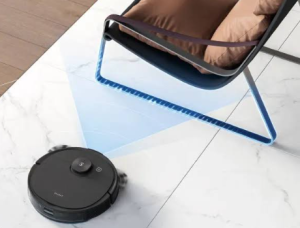
A robot vacuum can save time and make daily cleaning much easier, but its performance depends heavily on the condition of its battery. If a Neabot N1 or N2 starts cleaning for a much shorter time, returns to the charging dock too often, or refuses to charge, an aging battery could be the reason.
For compatible models, a 5000mAh CR18650F8M7-4S2P replacement battery can be considered when the original battery no longer provides reliable performance. This guide explains common battery problems, charging issues, signs of battery damage, and the situations where a replacement battery can be useful.replacement guide
Why Does the Neabot N1 N2 Battery Have a Short Runtime?
Short battery life is one of the most common signs of an aging robot vacuum battery.
Rechargeable lithium-ion batteries gradually lose usable capacity after repeated charging and discharging. As the battery ages, the Neabot may no longer be able to complete the same cleaning cycle that it could when the battery was new.
Typical symptoms include:
- The robot vacuum runs for a much shorter time.
- The Neabot returns to the charging dock earlier than expected.
- Battery percentage drops rapidly.
- The robot cannot complete its normal cleaning area.
- The vacuum needs multiple charging cycles to finish cleaning.
- The device shuts down unexpectedly during operation.
However, battery runtime can also depend on cleaning mode, suction power, floor type, brush resistance, filter condition, and the amount of dirt being collected.
If the Neabot’s cleaning environment and settings have remained similar but operating time has decreased substantially, battery degradation may be the underlying cause.
Neabot N1 N2 Battery Not Charging: What Should You Check?
If your Neabot N1 or N2 battery is not charging, the battery itself may not be the only possible cause.
Check the Charging Dock
Make sure the charging dock is connected to a working power outlet. If the dock has an indicator light, check whether it behaves normally.
Clean the Charging Contacts
Dust and debris can accumulate on the charging contacts of both the robot vacuum and charging dock. Carefully clean the contacts and make sure they are dry before testing again.
Check the Robot’s Position
The Neabot needs to make proper contact with the charging dock. Make sure the robot is correctly aligned and that nothing is blocking the charging contacts.
Restart the Robot
A temporary software or power-management issue can sometimes cause incorrect battery status information. Restarting the robot may help eliminate a temporary problem.
Check Battery Age
If the dock works normally but the battery still cannot hold a charge, especially after extensive use, the battery may have reached the end of its useful service life.
A compatible CR18650F8M7-4S2P battery replacement may then be considered.
How to Tell If the Neabot Battery Is Damaged
Several symptoms can help determine whether the original battery may need replacement.
1. Extremely Short Cleaning Time
If the robot used to clean for a long period but now stops after a much shorter session, the battery may have lost considerable capacity.
2. Unexpected Shutdowns
If the Neabot suddenly powers off during cleaning instead of returning normally to the charging dock, the battery may be unable to maintain stable power output.
3. Rapid Battery Percentage Drops
A battery percentage that falls unusually quickly during normal cleaning can indicate significant battery degradation.
4. Battery Cannot Hold a Charge
If the robot appears to charge normally but quickly loses power once it starts cleaning, the battery may no longer be capable of storing sufficient energy.
5. Repeated Charging Problems
If the charging dock and contacts have been checked and the robot still cannot charge consistently, the battery or internal charging system may require further diagnosis.
6. Swelling or Physical Damage
A swollen, cracked, leaking, or deformed lithium-ion battery should not be used.
Do not puncture, bend, crush, open, or attempt to repair a damaged battery. Stop using the device and arrange for professional replacement and appropriate battery disposal.
Why Consider a 5000mAh CR18650F8M7-4S2P Replacement Battery?
If the original Neabot battery has significantly degraded, replacing the battery can be a practical alternative to replacing an otherwise functional robot vacuum.
A 5000mAh CR18650F8M7-4S2P replacement battery may be useful when:
- The Neabot N1 or N2 has significantly reduced runtime.
- The robot frequently returns to the charging dock.
- The battery cannot hold a charge.
- The robot shuts down unexpectedly.
- The original battery has been used extensively.
- You want to extend the useful life of the robot vacuum.
Before purchasing, compare the original battery’s model number, capacity, voltage, connector, dimensions, and battery configuration with the replacement.
Common Neabot N1 N2 Usage Scenarios
Daily Household Cleaning
For everyday dust, crumbs, dirt, and hair, the Neabot can help automate routine cleaning. A healthy battery allows it to complete more of its scheduled cleaning without unnecessary interruptions.
Homes With Pets
Pet owners often need frequent cleaning because of hair and dander. A dependable battery is particularly useful when the robot needs to operate regularly.
Larger Homes
Larger floor areas can require longer cleaning sessions. If an aging battery causes the robot to stop before finishing the cleaning cycle, replacing the battery can improve convenience.
Apartments
Even in smaller apartments, battery degradation can cause frequent returns to the charging dock. A healthy battery can help the robot complete its normal cleaning routine more consistently.
Scheduled Cleaning
Many users schedule their robot vacuum to clean while they are away. A reliable battery helps reduce the chance of the robot stopping prematurely because of insufficient power.
How to Get Better Battery Performance
A replacement battery should be combined with good robot vacuum maintenance.
- Keep the charging dock and charging contacts clean.
- Clean the main brush regularly.
- Remove tangled hair and debris.
- Clean or replace filters as necessary.
- Avoid operating the robot in extreme temperatures.
- Use high-power cleaning modes only when necessary.
- Keep the robot’s air paths clear.
- Do not continue using a battery that shows physical damage.
A blocked brush or dirty filter can make the motor work harder and may increase power consumption. Regular maintenance can therefore help improve overall cleaning efficiency.
What to Check Before Buying a CR18650F8M7-4S2P Battery
Battery compatibility is essential. Before purchasing a replacement, compare the following information with the original battery:
- Battery model: CR18650F8M7-4S2P
- Capacity: 5000mAh
- Compatible models: Neabot N1 and N2, where applicable
- Nominal voltage
- Connector type
- Pin configuration
- Physical dimensions
- Battery wiring and protection system
Capacity alone does not determine compatibility. The voltage, connector, physical size, battery configuration, and protection circuitry should also match the device’s requirements.
Battery Replacement Safety
Replacing a robot vacuum battery may require opening the device and disconnecting an internal battery connector. If you are unfamiliar with electronic repair, professional installation is recommended.
Before replacement:
- Turn off the robot vacuum.
- Disconnect it from the charging dock.
- Work on a clean and dry surface.
- Avoid damaging battery wires and connectors.
- Install only a compatible replacement battery.
Never puncture, crush, short-circuit, or disassemble a lithium-ion battery. If the original battery is swollen or damaged, do not attempt to repair it.
A Neabot N1 or N2 with an aging battery may show several warning signs, including short battery life, rapid power loss, charging problems, repeated returns to the dock, and unexpected shutdowns.
Before replacing the battery, check the charging dock, charging contacts, brushes, filters, and other basic factors. If the original battery has clearly lost capacity and can no longer provide reliable cleaning time, a compatible 5000mAh CR18650F8M7-4S2P battery replacement can be a practical way to extend the useful life of the robot vacuum.
Whether the Neabot is used for daily household cleaning, pet hair, larger homes, apartments, or scheduled cleaning, a reliable battery is an important part of maintaining consistent cleaning performance.