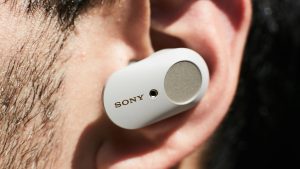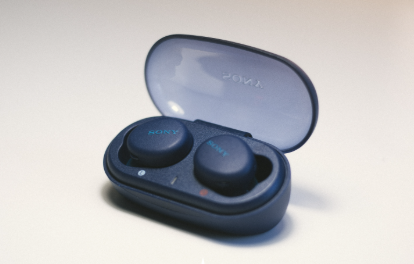
Wireless earbuds have become an essential part of daily life, whether you’re listening to music, making calls, or attending online meetings. However, after years of regular use, the built-in battery gradually loses its capacity. If your Sony earbuds no longer provide the listening time they once did, a CP1250-A4 65mAh battery replacement can restore their performance and extend their service life.
Designed for compatible Sony true wireless earbuds, this replacement battery delivers stable power and reliable operation without the need to purchase a brand-new headset.
Why Is Your Earbud Battery Draining So Fast?
Lithium-polymer batteries naturally wear out after hundreds of charging cycles. As battery capacity decreases, the earbuds require more frequent charging.
Common signs include:
- Playback time is much shorter than before
- One earbud loses power faster than the other
- Battery percentage drops quickly
- Earbuds power off unexpectedly
- Frequent charging is required throughout the day
Using high volume, active noise cancellation, or continuous voice calls can also increase power consumption.
What If Your Earbuds Won’t Charge?
Charging problems are not always caused by a defective battery. Before replacing it, perform a few simple checks:
- Clean the charging contacts on both the earbuds and charging case.
- Make sure the charging case has sufficient power.
- Check whether the USB charging cable is working properly.
- Reset or restart the earbuds according to the manufacturer’s instructions.
- Ensure the earbuds are seated correctly inside the charging case.
If the earbuds still refuse to charge or only charge intermittently, the internal battery may have reached the end of its lifespan.
How to Tell If the CP1250-A4 Battery Needs Replacement
A worn or damaged battery often shows several obvious symptoms:
- Extremely short playback time after a full charge
- Earbuds randomly disconnect because of power loss
- Slow or inconsistent charging
- Excessive heat during charging
- Battery swelling or physical deformation
- One earbud performs noticeably worse than the other
Replacing the battery early helps restore stable performance and prevents further reliability issues.
Ideal Usage Scenarios
A new CP1250-A4 replacement battery helps your Sony earbuds perform reliably in many everyday situations, including:
- Daily commuting
- Online meetings and remote work
- Gym workouts and outdoor exercise
- Traveling by train or airplane
- Music streaming and podcasts
- Hands-free phone calls
- Gaming and video entertainment
With restored battery life, you can enjoy uninterrupted listening wherever you go.
Tips to Extend Battery Life
To maximize the lifespan of your replacement battery:
- Avoid exposing the earbuds to excessive heat.
- Store them in the charging case when not in use.
- Use the original or a compatible charging cable.
- Avoid leaving the battery completely discharged for extended periods.
- Keep the charging contacts clean.
- Update the earbud firmware when available.
Proper charging habits can significantly slow battery aging and maintain consistent performance.
If your Sony WF-1000XM3, WF-XB700, or WF-H800 earbuds suffer from short battery life, charging problems, or unexpected shutdowns, replacing the CP1250-A4 65mAh battery is a practical and affordable solution. A high-quality replacement battery restores longer listening time, dependable charging performance, and helps extend the overall lifespan of your favorite wireless earbuds.