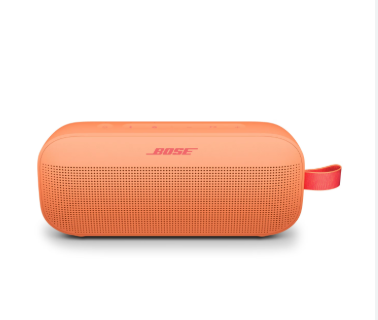
The Bose SoundLink Mini is known for its compact size and powerful sound quality. However, like all portable Bluetooth speakers, its performance heavily depends on battery health. Over time, users may notice reduced playtime, charging issues, or unexpected shutdowns—signs that the Bose SoundLink Mini battery may need attention or replacement.
This guide explains common battery problems, how to identify a failing battery, and what users can do to restore performance.
Common Bose SoundLink Mini Battery Problems
As the battery ages, several issues may begin to appear:
Short Battery Life
One of the most common complaints is significantly reduced playback time:
- Speaker drains quickly even at moderate volume
- Battery life is much shorter than when new
- Frequent recharging is required
This usually indicates natural battery degradation after repeated charging cycles.
Battery Not Charging
Charging issues are another common problem:
- Speaker does not respond when connected to charger
- Charging light blinks abnormally or does not turn on
- Battery percentage does not increase
This may be caused by a worn-out battery, charging port issues, or internal circuit faults.
Random Power Off
Some users report the speaker shutting down unexpectedly:
- Device turns off even with remaining battery
- Playback stops suddenly during use
- Power instability during high volume
This is often a sign of voltage instability in an aging battery.
How to Tell If Your Bose SoundLink Mini Battery Is Failing
You may need a battery replacement if you notice:
- Battery drains much faster than before
- Speaker only works while plugged in
- Charging takes unusually long
- Device heats up during charging
- Battery no longer holds a full charge
- Reduced maximum volume or unstable performance
If multiple symptoms appear together, the battery is likely reaching end-of-life.
Why Bose SoundLink Mini Battery Life Decreases
Battery degradation is normal over time. Common causes include:
- Frequent charging cycles
- Long-term daily use
- Exposure to heat or direct sunlight
- Leaving battery fully discharged for long periods
- High-volume playback for extended sessions
Lithium-ion batteries typically lose capacity after 2–4 years of use.
Bose SoundLink Mini Battery Replacement Guide
Replacing the battery can restore original performance and extend the life of the speaker.
Step 1: Identify Compatible Battery
Ensure the replacement battery matches the required specifications for the SoundLink Mini model.
Step 2: Power Off the Device
Turn off the speaker completely before opening or servicing.
Step 3: Replace the Battery
Carefully remove the old battery and install the new one, ensuring proper connector alignment.
Step 4: Fully Charge Before Use
Charge the new battery fully before first use to optimize performance.
If you are not experienced with electronics repair, professional replacement is recommended to avoid damage.
How to Extend Battery Life
To keep your Bose SoundLink Mini battery in good condition:
- Avoid full discharge before recharging
- Do not leave the speaker plugged in all the time
- Store in a cool, dry environment
- Use moderate volume levels when possible
- Recharge at least once every few weeks if unused
Proper care can significantly improve long-term battery performance.
Usage Scenarios That Affect Battery Life
Battery consumption varies depending on usage patterns:
- High-volume music playback drains battery faster
- Outdoor use in cold or hot environments reduces efficiency
- Continuous Bluetooth connection also consumes power
- Bass-heavy audio increases energy consumption
Understanding these factors can help optimize battery usage.
The Bose SoundLink Mini battery is essential for maintaining the speaker’s portability and sound performance. If you experience short battery life, charging problems, or unexpected shutdowns, it is likely time for a replacement.
By identifying symptoms early and replacing the battery when needed, you can restore your speaker’s performance and extend its overall lifespan.