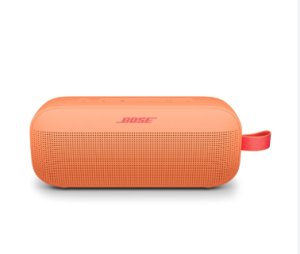
The JBL Flip 4 is a popular portable Bluetooth speaker known for its durability, waterproof design, and powerful sound. However, like all rechargeable devices, its battery will degrade over time. This guide covers everything you need to know about JBL Flip 4 battery replacement, how to change the battery, and how long the battery typically lasts.
How Long Does a JBL Flip 4 Battery Last?
On a full charge, the JBL Flip 4 battery typically lasts around 10 to 12 hours of playback, depending on volume level, audio content, and usage conditions.
- Low volume: up to 12 hours
- Medium volume: around 9–10 hours
- High volume: 6–8 hours
Over time, battery performance naturally decreases, and users may notice shorter playback times.
Signs You Need a JBL Flip 4 Battery Replacement
You may need to replace your JBL Flip 4 battery if you notice:
- Significantly reduced playback time
- Speaker shutting off unexpectedly
- Battery not charging fully
- Device only works while plugged in
How to Change JBL Flip 4 Battery (Step-by-Step)
Replacing the JBL Flip 4 battery requires careful disassembly. If you are not comfortable with electronics repair, consider professional servicing. Otherwise, follow these general steps:
- Turn off the speaker and ensure it is not connected to power.
- Remove the outer fabric cover carefully to expose the internal casing.
- Unscrew the housing using a compatible screwdriver.
- Disconnect the old battery from the connector carefully.
- Install the new battery with the same specifications.
- Reassemble the speaker and secure all screws.
- Charge fully before first use.
Warning: Opening the device may void the warranty and can damage waterproof sealing if not done correctly.
JBL Flip 4 Battery Replacement Tips
- Always use a compatible lithium-ion replacement battery.
- Avoid cheap, unverified third-party batteries.
- Discharge the speaker to around 20% before replacement for safety.
- Keep screws and small parts organized during disassembly.
How to Extend JBL Flip 4 Battery Life
To maximize battery lifespan and delay replacement:
- Avoid exposing the speaker to extreme heat or cold
- Do not overcharge for long periods
- Keep volume at moderate levels
- Recharge before the battery fully drains
Frequently Asked Questions (FAQ)
Can I replace the JBL Flip 4 battery myself?
Yes, but it requires technical skill. If you are not experienced with electronics repair, professional replacement is recommended.
Is JBL Flip 4 battery replacement worth it?
If your speaker is otherwise working well, replacing the battery is usually more cost-effective than buying a new device.
How long does a replacement battery last?
A good quality replacement battery can last 2–4 years depending on usage and charging habits.
The JBL Flip 4 remains a reliable portable speaker, and with proper care or a battery replacement, it can continue performing well for years.