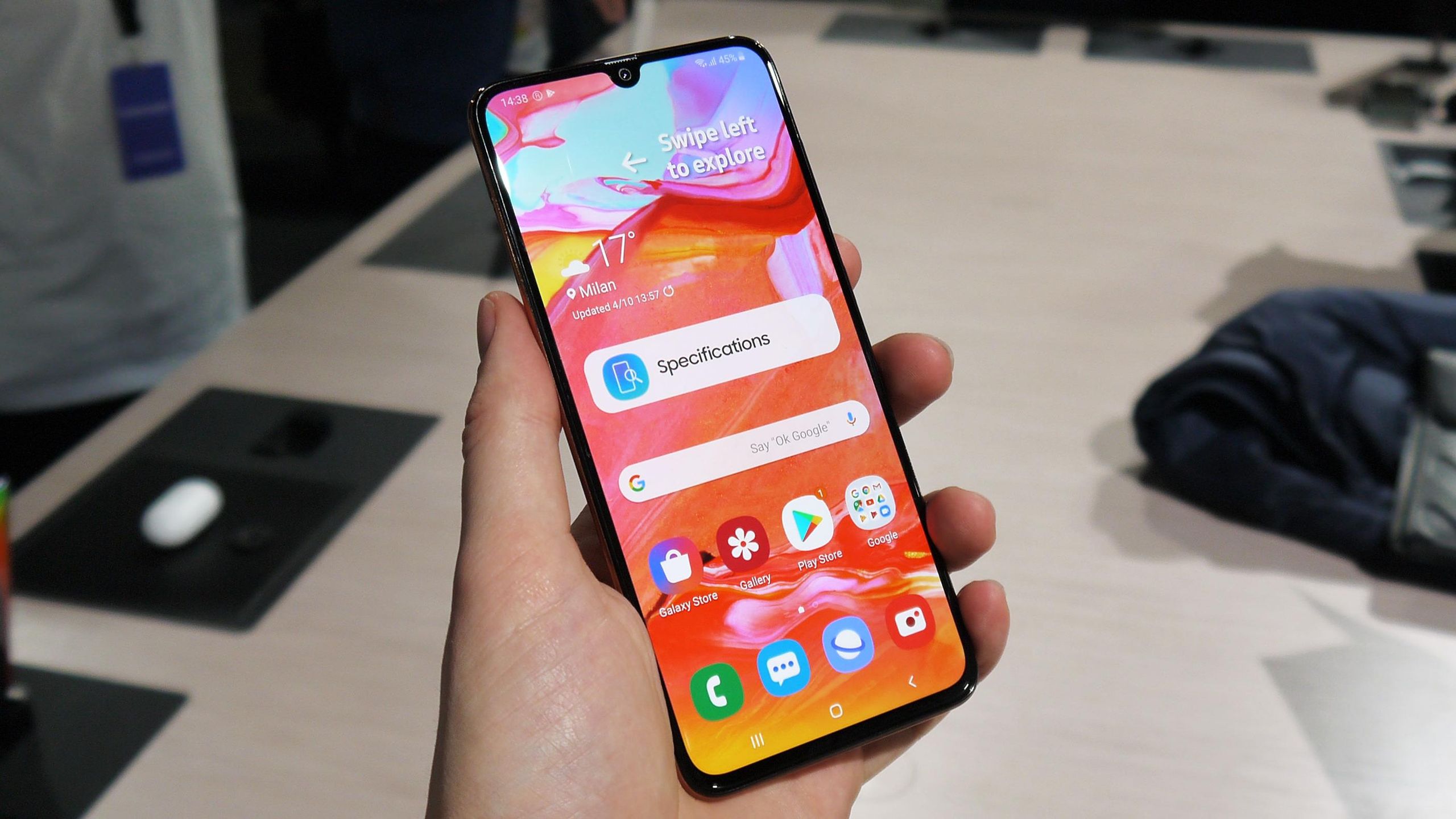
The Samsung Galaxy A70 is equipped with a large built-in battery designed to provide reliable everyday performance. However, like other rechargeable batteries, its capacity can gradually decrease after years of use. If your phone is losing power quickly or requires charging several times a day, you may be considering a Samsung A70 battery replacement.
But how do you know when the battery needs to be replaced? Is it possible to replace the battery yourself? And how to change Samsung A70 battery safely? This guide covers the main points to consider before replacing the battery.
Samsung A70 Battery Capacity and Battery Life
The Samsung Galaxy A70 uses a built-in 4,500 mAh battery. The actual battery life depends on much more than battery capacity, however.
Screen brightness, mobile data, Wi-Fi, GPS, video streaming, gaming and background applications can all affect power consumption. Battery capacity can also decrease naturally as the battery gets older.
As a result, a Samsung A70 that once lasted comfortably through a full day may eventually require more frequent charging.
When Should You Replace the Samsung A70 Battery?
A shorter battery life does not always mean that the battery itself is defective. Software, applications and display settings can also increase power consumption.
However, several signs may indicate that the Samsung A70 battery has reached a later stage of its service life:
- The phone loses battery power much faster than it used to.
- The battery percentage drops unusually quickly.
- The phone unexpectedly shuts down despite showing remaining charge.
- You need to charge the phone several times during the day.
- The phone becomes unusually warm during normal use or charging.
If these symptoms continue after checking power-hungry apps and settings, a battery replacement may be worth considering.
Samsung A70 Battery Replacement: Is It Possible?
Yes, the battery in the Samsung Galaxy A70 can be replaced, but it is not designed as a simple user-removable battery. The rear cover must be opened to access the internal battery.
A Samsung A70 battery replacement therefore requires suitable tools and careful handling of the phone’s internal components. Anyone without smartphone repair experience may prefer to use a professional repair service.
How to Change Samsung A70 Battery
If you are researching how to change Samsung A70 battery, it is important to understand that the exact repair procedure can vary depending on the tools and replacement part being used.
The general replacement process involves the following steps:
- Turn off the Samsung Galaxy A70 completely.
- Disconnect the charging cable and any other accessories.
- Carefully remove the rear cover using suitable repair tools.
- Remove the relevant internal covers or protective components.
- Disconnect the battery connector from the phone.
- Carefully release and remove the old battery.
- Install a compatible replacement battery.
- Reconnect the battery and reinstall the internal components.
- Close the rear cover properly.
- Turn the phone on and test charging and battery operation.
The battery should never be punctured, crushed, bent or exposed to excessive heat. Lithium-ion batteries can become hazardous if they are physically damaged.
How to Choose a Samsung A70 Replacement Battery
Choosing the correct replacement part is an important part of a successful Samsung A70 battery replacement. A battery that looks similar is not necessarily compatible with the phone.
Before purchasing a replacement battery, check the following:
- Compatibility with the Samsung Galaxy A70.
- Battery voltage.
- Rated capacity.
- Physical dimensions and design.
- Connector type and position.
- Manufacturer and product quality.
Using a battery that is specifically designed for the Samsung A70 can help reduce compatibility problems during installation.
Samsung A70 Battery Draining Fast: Does It Always Need Replacement?
If your Samsung A70 battery is draining quickly, replacing it immediately may not be necessary. First, check which applications and functions are consuming the most power.
High screen brightness, gaming, video streaming, GPS, mobile data and background synchronization can all contribute to faster battery drain.
You can also check the phone’s battery usage information to identify applications that consume an unusually large amount of energy.
How to Improve Samsung A70 Battery Life
Several simple changes can help reduce power consumption when the battery is still in reasonable condition.
- Reduce screen brightness when maximum battery life is needed.
- Limit unnecessary background activity.
- Disable location services when they are not required.
- Check which apps use the most battery.
- Keep the phone away from extreme temperatures.
- Use compatible charging accessories.
- Keep applications and supported system software updated.
These measures can reduce power consumption, but they cannot restore capacity that has already been lost through normal battery aging.
Should You Replace the Battery Yourself?
A DIY Samsung A70 battery replacement may reduce repair costs, but opening a smartphone requires care and appropriate tools.
Improper handling can damage the rear cover, display, connectors or other internal components. There is also a safety risk when working with a lithium-ion battery.
If the battery is swollen, punctured, leaking or visibly damaged, do not attempt to force it out or continue using the device. Professional inspection is recommended.
Battery Replacement or a New Phone?
For an older Samsung Galaxy A70, the cost and condition of the entire phone should be considered before purchasing a replacement battery.
| Situation | Possible approach |
|---|---|
| The battery is the only major problem | Consider a battery replacement |
| The battery drains quickly but the phone otherwise works normally | Check battery usage and settings first |
| The battery is swollen or damaged | Stop using it and seek professional assistance |
| The phone has several hardware problems | Compare repair costs with replacing the device |
Frequently Asked Questions About the Samsung A70 Battery
What is the Samsung A70 battery capacity?
The Samsung Galaxy A70 has a built-in battery with a rated capacity of 4,500 mAh. Actual battery life varies depending on usage, network conditions, screen settings and battery age.
Can the Samsung A70 battery be replaced?
Yes. The battery can be replaced, but it is installed inside the phone and is not designed for simple removal by the user. The rear cover must be opened to access it.
How to change Samsung A70 battery?
The general process involves turning off the phone, opening the rear cover, disconnecting the battery, removing the old battery and installing a compatible replacement. Because the procedure involves the internal components and a lithium-ion battery, appropriate tools and care are required.
Why is my Samsung A70 battery draining so fast?
Fast battery drain can be caused by an aging battery, high screen brightness, demanding apps, GPS, mobile data, background activity or poor network conditions. Checking battery usage can help identify the main source of consumption.
Is a Samsung A70 battery replacement worth it?
If the phone otherwise works well and the main problem is reduced battery capacity, replacing the battery can extend its useful life. If the device has several other hardware issues, the total repair cost should be considered before making a decision.
The Samsung A70 battery is a built-in component that can lose capacity naturally over time. If the phone no longer provides the battery life it once did, checking power consumption and battery condition can help determine whether a replacement is appropriate.
A Samsung A70 battery replacement is possible, but it requires opening the phone and carefully handling the internal battery. Anyone searching for how to change Samsung A70 battery should make sure the replacement part is compatible and follow safe repair practices.
For users without suitable tools or repair experience, professional battery replacement can reduce the risk of damaging the phone or the battery during the repair.