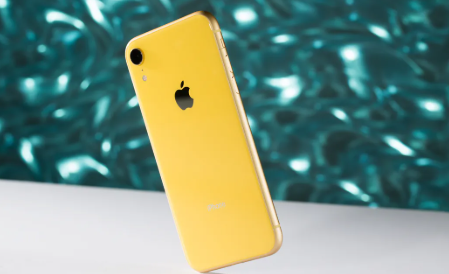
The iPhone XR battery is known for offering solid all-day performance when the device is new. However, like all lithium-ion batteries, it gradually degrades over time, leading to shorter battery life, charging issues, and performance limitations.
If you are experiencing iPhone XR battery life problems such as fast draining or failure to charge, this guide will help you understand the causes, how to check battery health, and when to consider an iPhone XR battery replacement.
iPhone XR Battery Capacity and Size
The iPhone XR battery capacity is one of the key reasons it originally delivered strong performance compared to older models.
- Battery capacity: approximately 2942 mAh
- Battery type: lithium-ion rechargeable battery
- Design focus: long-lasting single-day usage
The iPhone XR battery size was optimized to support the larger display and efficient A12 Bionic chip, helping it outperform many earlier iPhone models in daily usage.
iPhone XR Battery Life: What to Expect
When new, the iPhone XR battery life can typically last:
- Up to a full day of moderate usage
- Around 10–15 hours of screen-on time depending on usage
- Longer standby time when idle
However, after 1–3 years of use, many users begin to notice:
- Faster battery drain
- Need for multiple daily charges
- Reduced performance during heavy usage
This is a normal sign of battery aging.
Common iPhone XR Battery Problems
Over time, users may experience several battery-related issues.
1. Battery Drains Fast
One of the most common complaints is battery draining faster than expected. This can be caused by:
- Battery aging and reduced capacity
- Background app activity
- High screen brightness
- Location services running continuously
- Poor network conditions (weak signal increases power usage)
2. iPhone XR Battery Not Charging Properly
Some users report charging issues such as:
- Phone not responding when plugged in
- Slow or intermittent charging
- Charging stops randomly
- Battery percentage stuck at a certain level
These issues may be related to:
- Worn-out battery cells
- Faulty charging cable or adapter
- Dirty charging port
- Software glitches
3. Sudden Shutdowns
A degraded battery may cause the device to shut down unexpectedly, even when there is remaining charge. This is a strong indicator that the battery can no longer deliver stable power.
How to Tell If Your iPhone XR Battery Is Damaged
If you are unsure whether you need an iPhone XR battery replacement, check for the following signs:
- Battery health below 80% in settings
- Rapid battery percentage drops
- Phone heats up during normal use
- Charging takes significantly longer than before
- Unexpected shutdowns or restarts
- Reduced performance in gaming or multitasking
To check battery health:
Settings → Battery → Battery Health & Charging
If the system shows “Service” or low maximum capacity, replacement is recommended.
iPhone XR Battery Replacement Cost
The iPhone XR battery replacement cost depends on where you get it serviced:
- Official Apple service: higher cost but genuine parts
- Third-party repair shops: more affordable
- Local repair centers: varies by region and service quality
In general, replacing the battery is far cheaper than buying a new phone and can restore near-original performance.
When Should You Replace iPhone XR Battery?
You should consider an iPhone XR battery replacement if you notice:
- Battery health below 80%
- Phone cannot last a full day
- Frequent charging is required
- Device shuts down unexpectedly
- Charging becomes inconsistent
A new battery can significantly improve daily usability and extend the phone’s lifespan by several years.
Usage Scenarios That Affect Battery Drain
Different usage patterns can accelerate battery wear:
Heavy Usage
- Gaming
- Video streaming
- GPS navigation
- Camera recording
Work Usage
- Video calls
- Email syncing
- Cloud backups
Background Load
- Social media apps
- Push notifications
- Location tracking apps
These scenarios increase power consumption and can make battery issues more noticeable on older devices.
Tips to Improve iPhone XR Battery Life
Before replacing the battery, you can try optimizing usage:
- Reduce screen brightness
- Enable Low Power Mode
- Close unused background apps
- Turn off unnecessary location services
- Update iOS regularly
- Avoid extreme temperatures
These steps can help improve short-term performance but will not fix a physically degraded battery.
The iPhone XR battery is designed for strong daily performance, but like all lithium-ion batteries, it naturally degrades over time. If you are experiencing fast battery drain, charging problems, or reduced performance, it may be time to consider an iPhone XR battery replacement.
Understanding iPhone XR battery life, capacity, and battery health helps you make the right decision—whether to optimize usage or replace the battery to restore full performance.
A new battery can bring your iPhone XR back to a smooth, reliable, all-day device again.