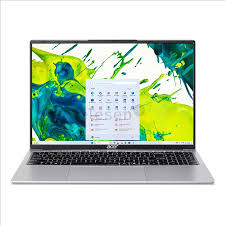
Just this morning, I received three separate emails from customers across Australia asking the same frustrating question: “Why is my Acer laptop battery not charging when plugged in?” This issue seems to be trending among laptop users, and after diving into several YouTube tutorials and tech forums, I’ve gathered some valuable insights to share.
Understanding the Problem
When your Acer laptop shows the power icon but refuses to charge, it can be incredibly frustrating. This problem isn’t unique to Acer—users of Dell, HP, Lenovo, and ASUS have reported similar issues. However, Acer laptops, particularly the Aspire and Swift series, seem to be frequently mentioned in recent online discussions.
Common Causes and Solutions
Based on my research and customer feedback, here are the primary reasons behind this charging failure:
1. Battery Driver Issues: Windows updates in late 2025 have caused compatibility problems with some Acer laptop battery drivers. A simple solution is to uninstall the Microsoft ACPI-Compliant Control Method Battery driver and restart your device.
2. Faulty Power Adapter: Before considering an Acer laptop battery replacement, check if your charger is functioning properly. I watched a helpful YouTube video yesterday showing how a damaged adapter can mimic battery problems.
3. Battery Calibration: Sometimes the battery percentage displayed is inaccurate. Fully draining and then charging to 100% can recalibrate the system.
When to Consider Replacement
If your battery is over three years old, it might be time to check the Acer laptop battery price for a replacement. In Australia, genuine Acer batteries typically range from $80 to $150 AUD, depending on the model. Many customers have asked me where is the battery in an Acer laptop—most modern Acer models have internal batteries requiring professional removal.
Final Thoughts
Before spending money on a new Acer laptop battery, try the troubleshooting steps above. If problems persist, consulting an authorized service center remains the safest option. Technology issues can be solved with patience and the right information.