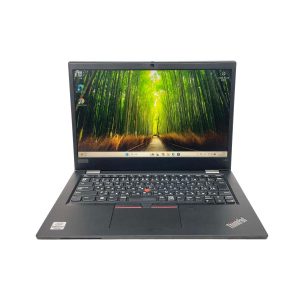
This week, my inbox has been flooded with emails from customers asking the same question: “Why is my laptop battery draining so fast?” After watching several YouTube videos about laptop maintenance trends in early 2026, I realised this issue is more widespread than ever. Whether you own a Dell XPS, HP Spectre, Lenovo ThinkPad, or MacBook Pro, understanding your battery health is essential.
How to Check Laptop Battery Health
For Windows Users: Open Command Prompt as administrator and type powercfg /batteryreport. This generates a detailed HTML report showing your battery’s design capacity versus current capacity. If your ASUS ZenBook S 13 or Microsoft Surface shows capacity below 80%, it’s time to consider replacement.
For Mac Users: Hold Option and click the Apple menu, then select “System Information” > “Power.” Your MacBook Air or MacBook Pro displays cycle count and condition status. Apple considers batteries “consumed” after 1,000 cycles.
How Long Should a Laptop Battery Last?
Most lithium-ion batteries maintain optimal performance for 2-4 years or 300-500 charge cycles. A customer recently emailed me about her three-year-old Acer Swift that now lasts only 90 minutes—down from six hours originally. This 75% capacity loss indicated immediate replacement was needed.
How Much Does It Cost to Replace a Laptop Battery?
In Australia, laptop battery replacement typically costs $80-$250 AUD depending on the brand. Premium ultrabooks like the Dell XPS 15 or Razer Blade may cost more due to specialised components. Third-party batteries are cheaper but ensure they’re certified to avoid safety risks.
How to Save Battery on Laptop
Extend your battery lifespan with these tips:
• Keep charge levels between 20-80%
• Reduce screen brightness and disable keyboard backlighting
• Close unnecessary background applications
• Enable battery saver mode on Windows or Low Power Mode on Mac
• Avoid extreme temperatures—Australian summers can accelerate degradation
• Unplug your HP Pavilion or Lenovo Yoga when fully charged
When to Replace Your Laptop Battery
If your battery health drops below 80%, charging takes unusually long, or your laptop shuts down unexpectedly, replacement is recommended. Many manufacturers including Dell, HP, and Apple offer authorised service centres across Australia for safe replacement.
Final Thought: Regularly checking battery health prevents unexpected failures. A $150 replacement is far cheaper than losing productivity—or buying a new laptop entirely.