As of April 27, 2026, the Apple Watch has become an indispensable health companion for many, yet one question continues to dominate my inbox from users across Australia: “Why is my iWatch running out of battery so much faster than it used to?” This week alone, I received three emails from Series 9 and Ultra 2 users who noticed their devices barely lasting through a standard workday.
The Impact of Modern Software on Older Hardware
One major reason for this sudden drain is the recent update to watchOS 13. While browsing a tech analysis video by The Apple Track on YouTube, the creator highlighted that the new “Real-Time AI Health Monitoring” feature significantly increases background CPU activity. For Australians using older models, this extra processing power causes the battery percentage to plummet. If your watch is constantly “searching” for a connection or processing complex health data in the background, the drain is inevitable.
Environmental Factors and Connectivity
Another often-overlooked culprit is the Australian climate and cellular usage. If you are frequently out of Wi-Fi range—perhaps hiking in the Blue Mountains or running along the Gold Coast—your watch ramps up its power to maintain an LTE signal. I recently consulted with a client who found that their iWatch battery was dying by 2 PM simply because their office had poor reception, forcing the device to work twice as hard to stay connected to the Telstra network.
Hardware Degradation and Solutions
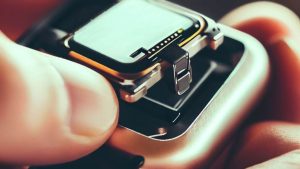
Finally, we cannot ignore physical aging. After two years of daily charging, even the most robust Apple Watch begins to show signs of chemical wear. To combat this, I recommend checking your settings and potentially investing in high-quality charging hardware. Brands like Belkin and Nomad offer MFi-certified chargers that provide stable voltage, which helps prevent the micro-overheating that leads to long-term drain. Additionally, using the Anker MagGo portable power bank can be a lifesaver for those long days away from a wall outlet.
By understanding that the issue is often a combination of software “bloat,” poor signal strength, and natural battery aging, you can take steps to optimize your settings and ensure your wearable stays powered from sunrise to sunset.