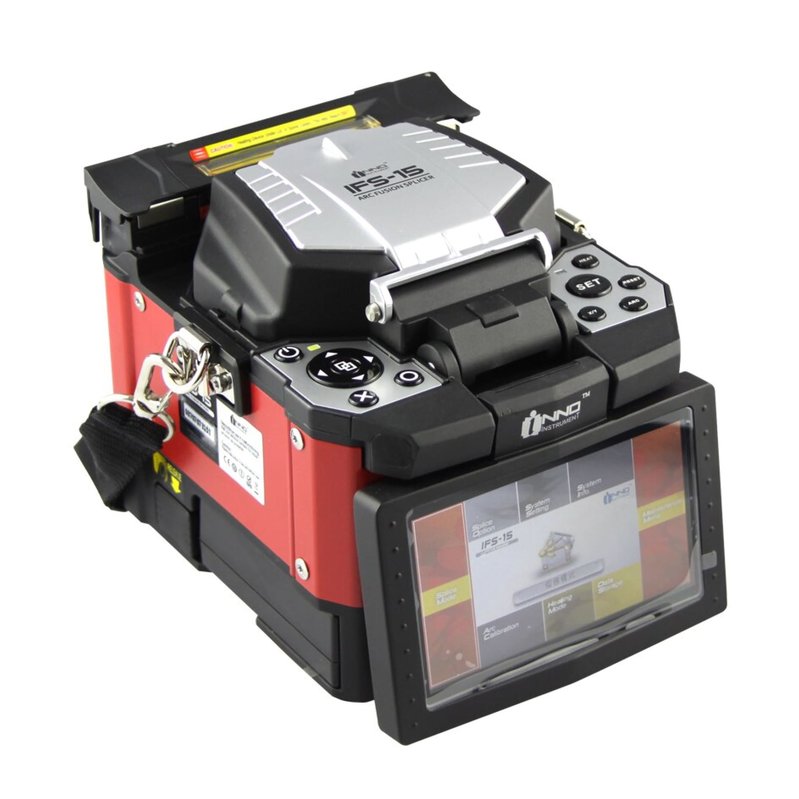
A reliable battery is essential for fiber optic technicians who use a fusion splicer in the field. Unlike office equipment, a fusion splicer is often used at construction sites, telecommunications projects, data center installations, and maintenance locations where access to a power outlet may be limited.
If your INNO Fusion Splicer battery life is getting shorter, the battery no longer charges properly, or the splicer shuts down during fiber work, the original battery may have experienced significant degradation.
The 5200mAh LBT-52 replacement battery is an option for compatible INNO Fusion Splicer models, including the INNO IFS-5, IFS-6, IFS-15H, IFS-15A, VIEW3, VIEW5, IFS-18, and IFS-17, subject to the exact device configuration.
This guide explains common battery problems, how to determine whether the battery may be damaged, and where a replacement battery can be useful.
Why Is My INNO Fusion Splicer Battery Life So Short?
One of the most common signs of an aging battery is reduced operating time.
Fusion splicing work can require technicians to remain on site for extended periods. When the battery has lost capacity, the splicer may need to return to a charger much sooner than expected.
If your INNO Fusion Splicer battery drains fast, you may notice:
- The splicer operates for a much shorter time than before.
- Battery percentage drops quickly during repeated splicing work.
- The device requires frequent charging between jobs.
- The splicer shuts down unexpectedly.
- A previously manageable field task now requires an external power source.
- The battery cannot support a normal work session.
Battery degradation is a normal result of repeated use and charging cycles. However, unusually fast battery drain can also be related to environmental conditions, charging equipment, or device settings.
INNO Fusion Splicer Battery Not Charging: What Should You Check?
If your INNO Fusion Splicer battery is not charging, do not immediately assume that the battery has failed. Several other factors can cause charging problems.
Check the Charger and Power Source
Make sure the charger is properly connected and that the power source is working correctly. A damaged adapter, cable, or connector can prevent the battery from charging.
Inspect the Charging Connection
Dust, dirt, or physical damage around the charging connector can interfere with charging. Carefully check the connection and make sure the charger is securely connected.
Restart the Fusion Splicer
A temporary electronic or system issue may cause incorrect battery status information. Restarting the equipment and checking the charging indicator again can help rule out a temporary problem.
Check the Battery Indicator
Observe whether the battery percentage increases after the charger is connected. If the percentage remains unchanged for an extended period despite a working charger, the battery or charging circuit may require inspection.
Consider Battery Age
If charging problems occur together with significantly reduced runtime and unexpected shutdowns, an aging battery is a possible cause.
How to Tell If an INNO Fusion Splicer Battery Is Damaged
Determining whether the battery is actually damaged can help avoid replacing components unnecessarily.
1. Very Short Operating Time
If the fusion splicer reaches a full charge but only operates for a fraction of the time it previously did, the battery may have lost a significant amount of usable capacity.
2. Rapid Battery Drain
A battery percentage that drops unusually quickly during normal splicing work can indicate battery degradation.
3. Unexpected Shutdowns
If the fusion splicer suddenly powers off while the battery indicator still shows remaining power, the battery may no longer be able to provide stable power under load.
This can be especially problematic during field work because an unexpected shutdown may interrupt an ongoing fiber installation or maintenance task.
4. Charging Failure
Repeated charging failures, unusually long charging times, or a battery that cannot retain charge can all be warning signs that the battery needs inspection.
5. Physical Swelling or Damage
If the battery is swollen, deformed, leaking, excessively hot, or otherwise physically damaged, stop using it and replace it safely. Do not puncture, open, or attempt to repair a damaged rechargeable battery yourself.
5200mAh LBT-52 Battery Replacement for INNO Fusion Splicer
The LBT-52 5200mAh battery replacement is designed as a replacement option for compatible INNO Fusion Splicer configurations.
The battery is associated with several INNO models, including:
- INNO IFS-5
- INNO IFS-6
- INNO IFS-15H
- INNO IFS-15A
- INNO VIEW3
- INNO VIEW5
- INNO IFS-18
- INNO IFS-17
- Other compatible configurations using the LBT-52 battery
Before purchasing, always compare your original battery with the replacement. Model compatibility should be confirmed based on the battery label, voltage, connector, dimensions, and equipment configuration.
Important information includes:
- Battery model: LBT-52
- Capacity: 5200mAh
- Application: INNO Fusion Splicer battery replacement
- Compatible models: IFS-5, IFS-6, IFS-15H, IFS-15A, VIEW3, VIEW5, IFS-18, IFS-17, subject to compatibility
Where Is an INNO Fusion Splicer Battery Replacement Useful?
A reliable battery is particularly important in professional fiber optic environments.
Fiber Optic Installation
Technicians often need to perform fusion splicing at locations where permanent electrical power is unavailable. A dependable battery allows the splicer to operate more conveniently on site.
Telecommunications Construction
During broadband and telecommunications network construction, technicians may move between different work locations. A replacement battery can reduce interruptions caused by an aging battery.
Data Center Installation
Fiber optic cables are widely used in data center infrastructure. Technicians may need to perform splicing and maintenance in different areas of a facility, making portable power useful.
Network Maintenance
Maintenance teams may need to respond to network faults or perform repairs in the field. A fusion splicer with a reliable battery is easier to use when immediate access to a power outlet is not guaranteed.
FTTH Projects
Fiber-to-the-home installations can involve outdoor cabinets, utility areas, buildings, and other locations. A healthy battery helps technicians work more flexibly during fiber installation and repair.
Emergency Repair
When fiber networks experience unexpected faults, technicians may need to work quickly in the field. Battery problems can create unnecessary delays, so maintaining a reliable replacement battery is important for mobile repair equipment.
How to Extend the Life of an LBT-52 Replacement Battery
After installing a new LBT-52 battery replacement, proper handling can help maintain battery performance.
Avoid exposing the fusion splicer and battery to excessive heat for extended periods. High temperatures can accelerate battery aging.
Keep the charging connector clean and use compatible charging equipment. Avoid dropping, crushing, puncturing, or otherwise physically damaging the battery.
For long-term storage, follow the battery and equipment manufacturer’s recommended storage conditions. Keep the battery in an appropriate environment and avoid extreme temperatures or moisture.
It is also useful to monitor battery performance regularly. If operating time begins to decrease significantly, technicians can investigate the battery before it causes unexpected interruptions during field work.
When Should You Replace the INNO Fusion Splicer Battery?
A replacement battery may be worth considering when several symptoms appear together:
- Battery runtime is significantly shorter than before.
- The battery drains rapidly during splicing.
- The fusion splicer shuts down unexpectedly.
- The battery cannot hold a charge.
- The battery repeatedly fails to charge.
- Charging takes unusually long.
- The battery shows physical damage.
- The splicer works normally with external power but performs poorly on battery power.
If the fusion splicer itself is still functioning properly, replacing an aging battery can be a practical way to extend the useful life of the equipment.
A short INNO Fusion Splicer battery life, charging failure, rapid battery drain, and unexpected shutdowns can make field fiber work more difficult. Before replacing the battery, check the charger, power connection, and charging connector to rule out other possible causes.
If the original battery has significantly degraded, the 5200mAh LBT-52 battery replacement can be considered for compatible INNO Fusion Splicer models such as the IFS-5, IFS-6, IFS-15H, IFS-15A, VIEW3, VIEW5, IFS-18, and IFS-17.
Whether the equipment is used for FTTH installation, telecommunications construction, data center work, network maintenance, or emergency fiber repair, a reliable battery can help technicians work more efficiently in locations where direct power is unavailable.
Before purchasing or installing a replacement, always verify the LBT-52 model number, voltage, connector, dimensions, and compatibility with your original battery and specific INNO Fusion Splicer.