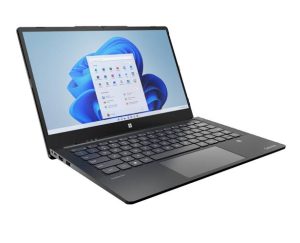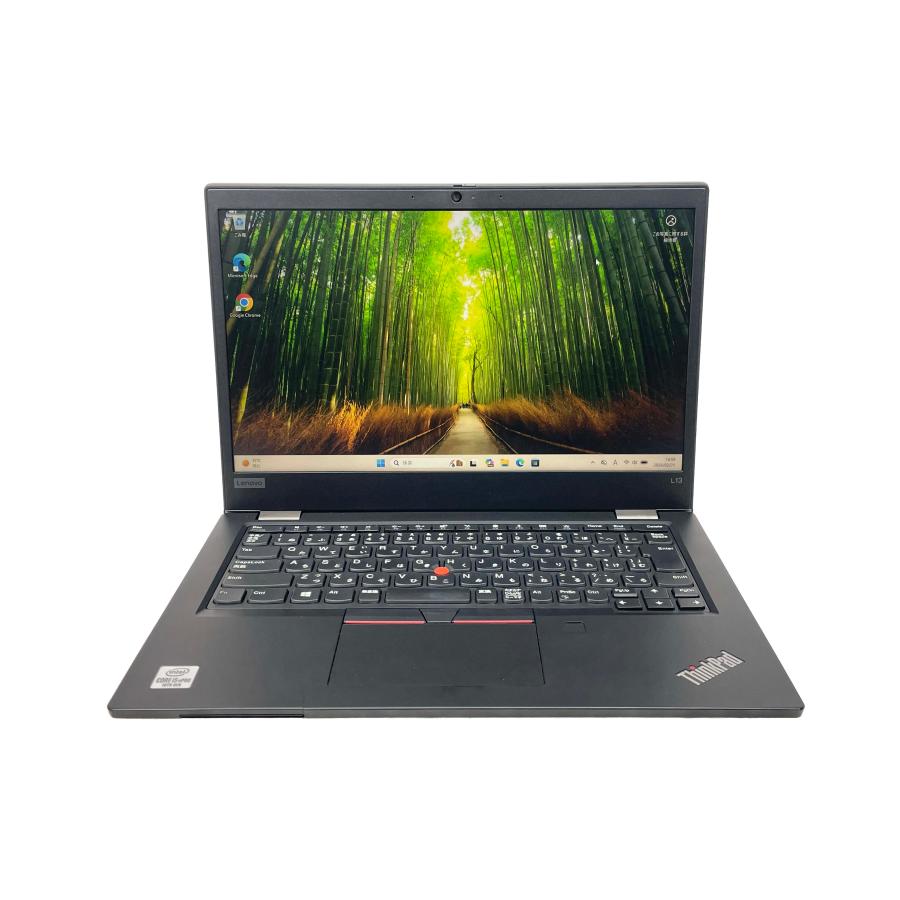
The Lenovo ThinkPad L13 Gen 6 is a compact business laptop designed for productivity, portability, and everyday professional use. Whether you use it for office work, remote meetings, studying, business travel, or working on the go, dependable battery performance is essential.
As a rechargeable laptop battery gets older, its capacity gradually decreases. You may eventually notice that your ThinkPad L13 Gen 6 runs for a much shorter time, shuts down unexpectedly, or refuses to charge properly.
For compatible configurations, an L24M4P72 3510mAh battery replacement can be a practical option when the original battery has significantly degraded.
Why Is the ThinkPad L13 Gen 6 Battery Draining Quickly?
Short battery life can be caused by battery aging, high system workload, software, or power settings. Before replacing the battery, it is useful to identify the likely cause.
Battery Aging
Laptop batteries lose capacity after repeated charging cycles. Over time, the difference between the original battery capacity and its current usable capacity can become noticeable.
If your ThinkPad L13 Gen 6 used to last through a large part of the workday but now requires frequent charging, battery wear may be responsible.
High-Performance Applications
Video conferencing, large spreadsheets, programming environments, photo editing, and other demanding applications can consume more power than basic tasks.
Running multiple applications simultaneously can also increase processor and memory usage, resulting in faster battery drain.
Screen Brightness and Background Processes
A bright display and applications running in the background can contribute to power consumption. Cloud synchronization, system updates, browser tabs, and other background services may continue using system resources even when you are not actively interacting with them.
What to Do If the ThinkPad L13 Gen 6 Battery Will Not Charge
A battery that will not charge does not automatically mean that the battery itself has failed.
Start by checking the AC adapter, charging cable, and laptop charging port. Make sure the connections are secure and inspect the equipment for obvious physical damage.
You can also restart the laptop and check whether Windows correctly recognizes the charging status.
If the ThinkPad remains connected to power but the battery percentage does not increase, or if the laptop immediately loses power after the charger is disconnected, further investigation may be necessary.
Charging problems can also originate from the adapter, charging port, battery-management system, or internal hardware. If basic checks do not solve the issue, professional diagnosis is recommended.
How to Tell If the L24M4P72 Battery Is Bad
Before buying a Lenovo ThinkPad L13 Gen 6 battery replacement, look for several common signs of battery degradation.
1. Significantly Reduced Battery Life
One of the clearest signs is a major reduction in operating time. If similar workloads now consume the battery much faster than before, the battery may have lost substantial capacity.
2. Unexpected Shutdowns
A worn battery may struggle to deliver stable power when the laptop is under load. This can result in unexpected shutdowns even when Windows still reports some remaining battery percentage.
3. Rapid Battery Percentage Drops
If the battery percentage falls unusually quickly—for example, dropping several percentage points within a short period during light use—it may indicate reduced battery capacity.
4. Battery Does Not Hold a Charge
If the laptop charges but loses power unusually quickly after being disconnected from the charger, the battery may no longer be able to store energy effectively.
5. Battery Health Information
Windows can generate a battery report showing information such as the original design capacity and the current full-charge capacity. Comparing these values can provide a useful indication of battery wear.
Software information is helpful but not always conclusive. If you notice swelling, deformation, excessive heat, or other physical abnormalities, stop using the battery and seek qualified service.
Why Consider an L24M4P72 3510mAh Replacement Battery?
When the original battery has reached the end of its useful service life, replacing the battery can restore more reliable portable operation without replacing the entire laptop.
The L24M4P72 3510mAh battery is a replacement option for compatible Lenovo ThinkPad L13 Gen 6 configurations.
However, battery capacity alone should not be used to determine compatibility. Before purchasing, compare the battery model number, voltage, connector, dimensions, and other specifications with the original battery installed in your laptop.
ThinkPad L13 Gen 6 Battery Replacement for Different Usage Scenarios
A reliable battery is particularly valuable for users who frequently work away from a desk.
Office Work
For employees who move between meeting rooms, offices, and shared workspaces, a healthy battery reduces the need to remain near a power outlet.
Remote Work
Remote workers may use the ThinkPad L13 Gen 6 in different rooms or locations throughout the day. Good battery performance makes it easier to work without constantly carrying a charger.
Business Travel
Business travelers often work on trains, airplanes, in hotels, or at customer locations where power outlets may not always be convenient. A dependable battery can provide greater flexibility.
Students
Students can use a ThinkPad for lectures, assignments, research, online classes, and library study sessions. A healthy replacement battery can help support longer periods of mobile use.
Meetings and Video Conferences
Online meetings can consume significant power, particularly when the camera, microphone, display, and communication software are active for extended periods. A battery in good condition helps reduce interruptions during meetings.
How to Extend ThinkPad L13 Gen 6 Battery Life
After installing a replacement battery, good power-management habits can help maintain battery performance.
- Reduce screen brightness when maximum brightness is unnecessary.
- Close applications that are not being used.
- Limit unnecessary background processes.
- Use Windows power-saving features when appropriate.
- Keep Windows and relevant drivers updated.
- Avoid excessive heat during intensive workloads.
- Use a compatible Lenovo charging adapter.
- Keep the laptop’s ventilation openings unobstructed.
- Avoid storing the laptop in extremely hot or cold environments.
Actual battery runtime depends on workload, display brightness, software, temperature, battery condition, and other factors.
What to Check Before Buying an L24M4P72 Battery Replacement
Before ordering an L24M4P72 3510mAh replacement battery for Lenovo ThinkPad L13 Gen 6, verify the following:
- Battery model: L24M4P72
- Capacity: 3510mAh
- Compatible laptop: Lenovo ThinkPad L13 Gen 6
- Voltage: Compare with the original battery
- Connector: Confirm the connector matches
- Dimensions: Make sure the replacement fits correctly
- Battery configuration: Verify against the original
- Product condition: Choose a new battery from a reliable supplier
The exact laptop configuration should always be checked before purchasing. Even batteries with similar capacities may not be interchangeable.
When Should You Replace the ThinkPad L13 Gen 6 Battery?
A replacement may be worth considering when you experience several of the following symptoms:
- Battery runtime has become much shorter.
- The laptop shuts down unexpectedly.
- Battery percentage drops rapidly.
- The battery cannot hold a charge.
- The laptop frequently reports charging problems.
- The battery health report shows significant capacity loss.
If the laptop otherwise works properly, replacing a worn battery can be a cost-effective way to restore its portability.
Battery degradation is a normal part of long-term laptop use, but a severely worn battery can make the Lenovo ThinkPad L13 Gen 6 much less convenient for mobile work.
If your laptop suffers from short battery life, charging problems, rapid percentage drops, or unexpected shutdowns, check the charger and Windows battery information first. When the original battery has clearly lost significant capacity, an L24M4P72 3510mAh battery replacement can provide a practical solution.
For the best compatibility, always verify the L24M4P72 model number, voltage, connector, dimensions, and laptop model before purchasing or installing a replacement battery.