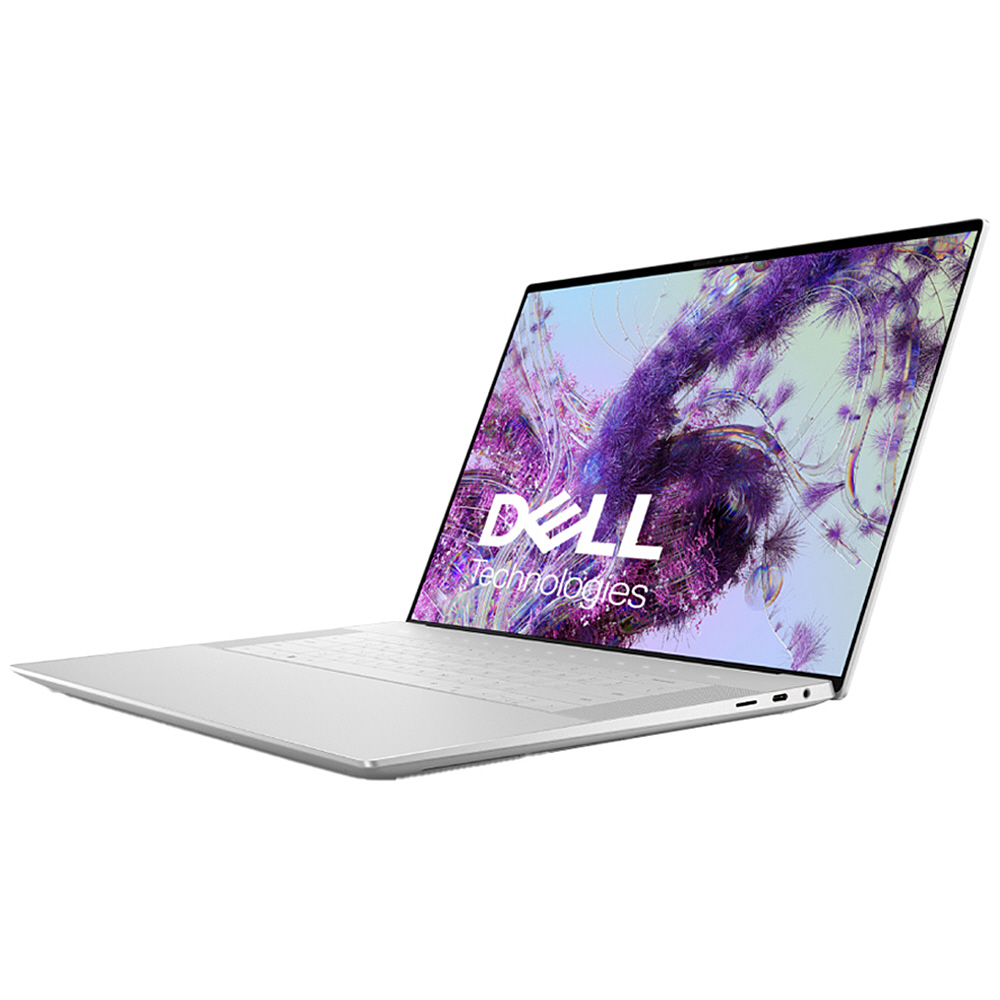
The Dell XPS 9640-7097SLV-PUS is a premium laptop designed for professionals, creators, students, and users who need powerful performance in a slim and portable design. With its high-performance processor, advanced display, and productivity features, the laptop is widely used for work, entertainment, and creative tasks.
However, after long-term use, the built-in battery may gradually lose its original capacity. A degraded battery can cause problems such as short battery life, unexpected shutdowns, slow charging, or the inability to hold a charge.
The RWFFJ 8504mAh Replacement Battery is designed as a compatible replacement solution for the Dell XPS9640-7097SLV-PUS, helping restore battery performance and extend the usable life of the laptop.
Why Does Dell XPS 9640 Battery Life Become Shorter?
Laptop batteries are consumable components. After many charging cycles, lithium-ion batteries naturally lose their ability to store energy.
Common signs of battery aging include:
- Battery drains much faster than before
- Laptop needs frequent charging
- Battery percentage drops suddenly
- Laptop shuts down without warning
- Reduced working time away from the charger
If your Dell XPS 9640 battery no longer provides enough runtime, replacing the old battery with an RWFFJ 8504mAh battery replacement can help restore longer usage time.
Common Reasons for Fast Battery Drain on Dell XPS 9640
1. Heavy Workloads and High Performance Usage
The Dell XPS 9640 is often used for demanding tasks, including:
- Video editing
- 3D rendering
- Programming
- Graphic design
- Large file processing
- Professional applications
These activities require more power from the CPU, GPU, memory, and cooling system, causing faster battery consumption.
A new RWFFJ replacement battery provides stable power for intensive workloads.
2. High Display Brightness and Multimedia Usage
The display is one of the largest power consumers in modern laptops.
Battery drain can increase when using:
- Maximum screen brightness
- High-resolution video playback
- Long online meetings
- External monitors
- Streaming platforms
To improve battery life temporarily:
- Reduce screen brightness
- Close unused applications
- Enable battery-saving modes
- Disconnect unnecessary devices
If battery performance remains poor, the original battery may have reached the end of its lifespan.
3. Background Applications and System Processes
Many programs continue running in the background, consuming energy.
Examples include:
- Cloud synchronization
- Antivirus scanning
- Browser tabs
- Software updates
- Communication applications
A worn battery may not provide enough capacity to support normal daily usage.
Dell XPS 9640 Battery Not Charging? Possible Causes and Solutions
If your Dell XPS9640 does not charge properly, the issue may come from the charger, charging port, or internal battery.
1. Check the Charger and Power Adapter
Before replacing the battery, check:
- Whether the charger works correctly
- Whether the power adapter provides stable power
- Whether the laptop recognizes the charger
A faulty charger may create symptoms similar to a damaged battery.
2. Inspect the Charging Port
Dust or loose connections can affect charging performance.
Recommended checks:
- Clean the charging port carefully
- Make sure the connector is firmly connected
- Try another compatible charger if available
3. Battery Cannot Store Power
If the laptop shows charging but quickly loses power after unplugging, the battery may be degraded.
Typical symptoms include:
- Battery reaches 100% but drains quickly
- Laptop turns off immediately after disconnecting power
- Charging stops unexpectedly
- Battery percentage changes irregularly
In this situation, replacing the battery with an RWFFJ Battery Replacement can solve problems caused by reduced battery capacity.
How to Tell If the Dell XPS 9640 RWFFJ Battery Is Damaged?
Before purchasing a replacement battery, check these signs.
1. Check Battery Runtime
A damaged battery usually shows:
✔ Shorter working time
✔ Rapid battery drain
✔ Frequent charging requirements
✔ Unexpected shutdowns
If your Dell XPS 9640 previously lasted several hours but now only works for a short time, the battery capacity may have significantly decreased.
2. Monitor Charging Behavior
A failing battery may cause:
- Slow charging
- Charging interruptions
- Battery percentage fluctuations
- Sudden power loss
These issues often indicate battery aging.
3. Check for Physical Damage
Battery problems may also appear physically.
Look for:
- Laptop case swelling
- Trackpad lifting
- Excessive heat
- Unusual deformation
A swollen battery should be replaced as soon as possible.
Benefits of Replacing Dell XPS 9640 RWFFJ Battery
1. Restore Longer Battery Life
A new RWFFJ 8504mAh Battery can provide improved runtime for:
- Office work
- Online meetings
- Web browsing
- Video playback
- Creative projects
2. Improve Laptop Stability
An aging battery may cause:
- Sudden shutdowns
- Performance interruptions
- Charging problems
A replacement battery provides more stable power delivery.
3. Extend Laptop Lifespan
Replacing only the battery is a cost-effective way to continue using your Dell XPS 9640 instead of purchasing a new laptop.
A quality Dell XPS9640 replacement battery helps maintain reliable performance for daily tasks.
Usage Scenarios for RWFFJ Battery Replacement for Dell XPS9640
1. Business and Office Work
The Dell XPS 9640 is suitable for:
- Documents
- Presentations
- Email communication
- Video conferences
- Remote work
A reliable battery allows professionals to work without constantly searching for a power outlet.
2. Creative Professionals
For creators working with:
- Photo editing
- Video production
- Design software
- Digital content creation
a replacement battery helps support longer creative sessions.
3. Students and Remote Learning
Students can benefit from longer battery life for:
- Online classes
- Research
- Note-taking
- Assignments
A healthy battery improves learning flexibility.
4. Travel and Mobile Work
The Dell XPS 9640 is frequently used during:
- Business trips
- Air travel
- Meetings outside the office
- Outdoor work
An RWFFJ 8504mAh battery replacement provides more confidence when power outlets are unavailable.
Why Choose RWFFJ 8504mAh Battery Replacement for Dell XPS9640?
A quality replacement battery offers:
- Battery model: RWFFJ
- Capacity: 8504mAh
- Stable lithium battery performance
- Reliable power output
- Compatibility with Dell XPS9640-7097SLV-PUS
The RWFFJ Battery Replacement is an ideal solution for users experiencing reduced battery life, charging issues, or battery aging problems on their Dell XPS 9640 laptop.
If your Dell XPS9640-7097SLV-PUS suffers from problems such as short battery life, charging failure, or unexpected shutdowns, a RWFFJ 8504mAh Replacement Battery can provide an effective solution.
Replacing the old battery helps restore mobility, improve laptop stability, and extend the device’s service life. Whether you use your Dell XPS 9640 for business, creative work, study, or travel, a new RWFFJ battery replacement can help your laptop perform reliably again.