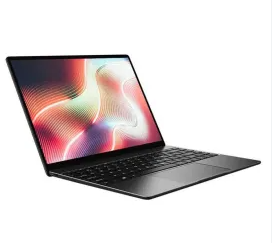
The Chuwi Herobook Pro CWI532 14.1″ is a lightweight and affordable laptop designed for everyday productivity, online learning, office work, and entertainment. However, like all rechargeable batteries, the original battery gradually loses capacity over time. If your laptop no longer provides the battery life it once did, a 5600mAh H-38130200P replacement battery can help restore mobility and performance.
In this guide, we’ll discuss common battery issues, charging problems, signs of battery damage, and the best usage scenarios for a replacement battery.
Why Is Your Laptop Battery Life Getting Shorter?
Laptop batteries naturally degrade after repeated charging cycles. As battery cells age, they hold less energy, resulting in shorter operating times.
Common causes of reduced battery runtime include:
- Natural battery aging
- Frequent charge and discharge cycles
- High-performance applications running continuously
- Excessive screen brightness
- Overheating during operation
- Long-term use while constantly plugged in
- Multiple background applications consuming power
If your Chuwi Herobook Pro requires charging more frequently than before, battery wear may be the primary cause.
What to Do If the Battery Is Not Charging
A charging issue does not always mean the battery has failed. Before replacing it, try the following troubleshooting steps.
Check the Power Adapter
Ensure that the charger is functioning properly and delivering the correct voltage.
Inspect the Charging Port
Dust, dirt, or physical damage inside the charging port can interrupt charging.
Restart the Laptop
Temporary software issues may interfere with battery detection and charging functions.
Update Drivers and BIOS
Outdated battery management software can sometimes cause charging irregularities.
Test with Another Compatible Charger
Using a known-working charger can help determine whether the issue lies with the battery or the power adapter.
If the battery still refuses to charge after these checks, replacement may be necessary.
How to Determine Whether the Battery Is Damaged
Knowing the signs of battery failure can help prevent unexpected shutdowns and productivity interruptions.
Rapid Battery Drain
The battery percentage drops quickly even during light tasks such as browsing or document editing.
Failure to Hold a Charge
The battery appears fully charged but loses power shortly after unplugging the charger.
Unexpected Shutdowns
The laptop powers off without warning despite showing remaining battery capacity.
Excessive Heat
An aging battery may become unusually hot during charging or normal use.
Physical Swelling
If the laptop casing appears warped or the touchpad becomes raised, the battery may be swollen and should be replaced immediately.
Battery Health Warnings
The operating system may display notifications indicating reduced battery health or recommend battery replacement.
Best Usage Scenarios for the H-38130200P Replacement Battery
A high-quality replacement battery helps maintain portability and productivity in many situations.
Students
Ideal for online classes, note-taking, research projects, and assignments.
Remote Workers
Provides reliable battery life for video meetings, office applications, and multitasking.
Business Travelers
Allows users to work on the go without constantly searching for power outlets.
Home Users
Perfect for web browsing, email management, social media, and streaming content.
Mobile Productivity
Supports users who frequently move between offices, classrooms, cafés, or coworking spaces.
Tips to Extend Battery Lifespan
To maximize the performance and longevity of your new H-38130200P battery:
- Avoid exposing the laptop to extreme temperatures
- Use the original or a compatible high-quality charger
- Keep battery levels between 20% and 80% when possible
- Lower screen brightness when not needed
- Close unnecessary background applications
- Disconnect unused peripherals
- Perform occasional battery calibration if recommended
These habits can help maintain battery health and improve long-term reliability.
Benefits of Replacing an Aging Battery
Installing a new H-38130200P battery offers several advantages:
- Longer operating time
- Improved portability
- More reliable charging performance
- Reduced risk of unexpected shutdowns
- Better overall productivity
- Extended lifespan of the laptop
The 5600mAh H-38130200P Replacement Battery for Chuwi Herobook Pro CWI532 14.1″ is an excellent solution for users experiencing short battery life, charging problems, or battery degradation. By recognizing the signs of battery wear and replacing the battery when needed, you can restore your laptop’s mobility, improve daily productivity, and enjoy a more reliable computing experience.