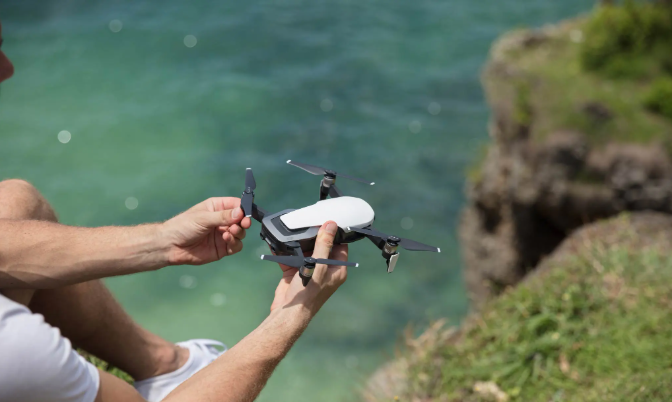
The DJI Mavic Air battery is one of the most important components of the drone, directly affecting flight time, performance, and safety. However, many users encounter issues such as DJI Mavic Air battery not charging, reduced battery lifespan, or confusion about how long to charge DJI Mavic Air battery. This guide breaks down everything you need to know in a simple and practical way.
Common DJI Mavic Air Battery Problems
Like most lithium polymer batteries, the DJI Mavic Air battery can develop issues over time. One of the most common complaints is that the DJI Mavic Air battery is not charging. This can happen for several reasons:
- Faulty or damaged charging cable
- Dirty or oxidized battery connectors
- Deep discharge state of the battery
- Firmware-related charging errors
- Overheating or cold temperature conditions
If your battery is not responding, try using the original DJI charger and ensure the environment is within the recommended temperature range.
DJI Mavic Air Battery Not Charging – How to Fix It
When your DJI Mavic Air battery not charging, you should follow a few troubleshooting steps before assuming it is dead:
- Check the charger and USB cable for damage
- Clean the battery terminals gently with a dry cloth
- Try charging another battery to confirm charger functionality
- Allow the battery to cool down before charging
- Reset the battery by connecting it to the charger for at least 10–15 minutes
If none of these steps work, the battery may have reached the end of its lifecycle and require replacement.
DJI Mavic Air Battery Replacement Guide
The DJI Mavic Air battery replacement is necessary when the battery no longer holds charge or shows significant performance degradation. DJI intelligent flight batteries are designed for a limited number of charge cycles, typically around 200–300 cycles depending on usage.
When choosing a replacement battery:
- Always use original DJI batteries for safety and compatibility
- Avoid cheap third-party batteries that may damage the drone
- Check firmware compatibility before installation
Replacing the battery is simple: power off the drone, remove the old battery, and slide in the new one until it clicks securely.
How Long to Charge DJI Mavic Air Battery
One of the most frequently asked questions is how long to charge DJI Mavic Air battery. On average, the charging time depends on the charger used:
- Standard charger: approximately 50–60 minutes
- Charging hub (multiple batteries): 60–80 minutes per battery
Charging time may vary depending on battery health, temperature, and remaining battery percentage. It is recommended to charge the battery in a cool and ventilated environment for optimal performance.
Tips to Extend DJI Mavic Air Battery Life
To maximize the lifespan of your DJI Mavic Air battery, follow these best practices:
- Avoid fully draining the battery before recharging
- Do not store the battery fully charged for long periods
- Keep battery storage level around 40–60%
- Avoid extreme temperatures during flight and storage
- Update drone firmware regularly
Understanding your DJI Mavic Air battery is essential for maintaining safe flights and long-term drone performance. Whether you are dealing with charging issues, considering a battery replacement, or simply wondering about charging time, proper care and maintenance can significantly extend battery life and reliability.
By following the tips above, you can reduce the risk of charging problems and ensure your DJI Mavic Air stays ready for every flight.