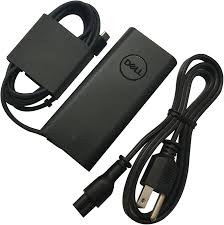
As of January 2026, I’ve received numerous emails from Australian customers experiencing sudden shutdowns and boot failures with their Dell workstations and servers. The common culprit? A failing power supply unit (PSU). After researching YouTube tutorials and consulting technical documentation, here’s how to test your Dell power supply with a multimeter to diagnose the problem.
Why Test Your Dell Power Supply?
Dell power supplies—found in OptiPlex desktops, Precision workstations, and PowerEdge servers—are built for reliability. However, after years of use, capacitors degrade and voltage output becomes unstable. Before purchasing a replacement or contacting Dell support, testing with a multimeter can confirm whether the PSU is truly faulty.
Tools You’ll Need
A digital multimeter from brands like Fluke, Klein Tools, or AstroAI is essential. You’ll also need the 24-pin ATX pinout diagram for your specific Dell model—easily found on Dell’s support website or YouTube teardown videos.
Step-by-Step Testing Process
Step 1: Disconnect the power supply from your Dell computer and unplug all cables. Wait 5 minutes for residual charge to dissipate.
Step 2: Locate the 24-pin motherboard connector. Using a paperclip or jumper wire, bridge the green wire (PS_ON) to any black wire (ground). This simulates the motherboard’s power-on signal.
Step 3: Plug the PSU into a wall outlet and switch it on. The internal fan should spin—if not, the power supply is likely dead.
Step 4: Set your multimeter to DC voltage. Test each rail: yellow wires should read +12V (±5%), red wires +5V, and orange wires +3.3V. Readings outside these tolerances indicate a failing PSU.
How to Check Dell Server Power Supply Status
For Dell PowerEdge servers, checking PSU status is simpler. Access the iDRAC management interface or use Dell OpenManage to view real-time power supply health, including redundancy status and wattage output—no multimeter required.
Final Recommendations
If your Dell power supply fails testing, consider genuine Dell replacements or trusted third-party brands like Corsair or EVGA for desktop units. For servers, always use Dell-certified PSUs to maintain warranty coverage. Testing takes just 10 minutes but can save you from unnecessary hardware purchases.